
Everything PlayStation 5 · On PS4Home
PS5 Home
Your home for PlayStation 5 games, guides, news and help.
Find your next game, choose between PS5 models, fix a problem or get more from your setup — with our PlayStation 5 guides and latest coverage in one place.
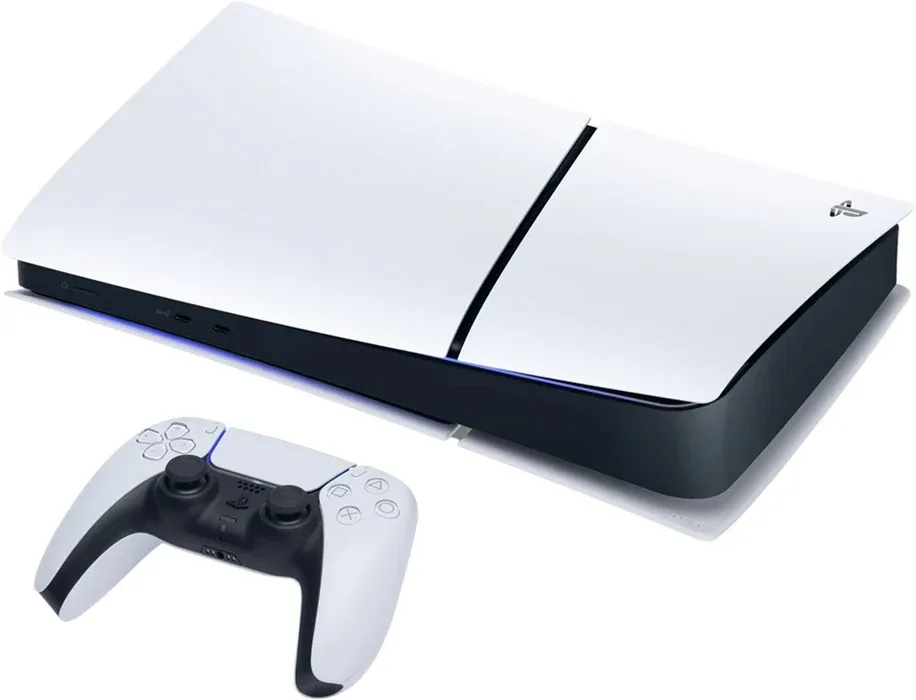
PS5 guides: start here
Our evergreen PlayStation 5 guides cover the essentials in depth. Start with the overview, then jump into the hardware or accessory you need.
The complete PS5 guide
Start with the console, its features and the move from PS4.
PS5 Slim explained
Models, design, setup and the detachable disc drive.
PS5 essentials
Build your setup with games, accessories and practical extras.
PS5 disc drive guide
Disc-drive compatibility, installation and troubleshooting.
PS5 headset guide
Compare audio options for chat and immersive play.
Bluetooth headphones on PS5
Understand adapters, connection options and their limitations.
PlayStation VR2 guide
Explore PS5 virtual reality, hardware and games.
PS5 games: find your next favourite
Explore PlayStation 5 games with individual profiles, features and release details. Check whether you are buying the PS4 or PS5 edition, especially for cross-generation releases. The selection below draws from released PS5 games in our database.








Upcoming PS5 games
See the next dated PS5 releases listed in our games database. Release dates can change, vary by region or use provisional placeholders; confirm the date with the publisher before pre-ordering. Games without a database date are not shown here.
The Transylvania Adventure of Simon Quest
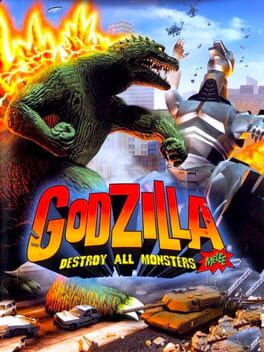
Godzilla: Destroy All Monsters Melee Remastered

Grand Theft Auto VI

Ace Combat 8: Wings of Theve

Active Matter

Adorable Adventures
PS5 Pro & consoles
PS5 Pro, PS5 Slim and choosing a console
Start with how you buy games and the screen you play on. A disc-capable PS5 lets you use compatible physical games; a Digital Edition relies on downloads unless that particular model supports Sony’s add-on drive. The original Digital Edition cannot be upgraded with the detachable drive.
PS5 Pro plays the PS5 library and offers enhanced graphics features in supported games, including PlayStation Spectral Super Resolution (PSSR). Improvements depend on the game, its patches and your display. It is not a separate generation, and it does not make every game run at 4K and 120fps simultaneously. PS5 Pro’s compatible disc drive is sold separately.
Help & error codes
PS5 help, troubleshooting and error codes
Note the full error code and what you were doing when it appeared before changing settings. For sign-in, multiplayer or downloads, check PlayStation Network status first: an outage is not a fault with your console. If services are available, restart the console and router, check the connection and install available system updates.
For a blank screen, check the TV input, HDMI cable and a direct connection to the display. Safe Mode can help with display or system problems, but read the description of each option carefully. Resetting or reinstalling system software can erase data; back up important saves before taking destructive steps. Use Sony’s PS5-specific error lookup rather than assuming a PS4 fix applies.
- Look up a PS5 error code · Official PlayStation
- Check PlayStation Network status · Official PlayStation
- Understand PlayStation Safe Mode options · Official PlayStation
- Troubleshoot PS5 disc drive problems
Controllers
DualSense controllers, pairing and compatibility
DualSense brings haptic feedback and adaptive triggers to games that support them. To pair a controller with your PS5, connect it using a USB cable that supports data and press the PS button. A charge-only cable can power the controller without pairing it. Keep controller software updated through the console.
Choosing a spare or a pro controller? Consider comfort, battery life, remappable controls and the games you actually play. A DualShock 4 works with supported PS4 games on PS5, but not with native PS5 games. Using a DualSense on a PC or another console has different requirements, and not every feature carries over.
SSD & storage
PS5 SSD upgrades and USB storage
There are two different ways to expand PS5 storage. A compatible internal M.2 NVMe SSD can store and run PS5 games. USB extended storage can hold PS5 games to save downloading them again, but you must copy those games back to console storage or a compatible M.2 SSD before playing.
Supported PS4 games can run directly from USB extended storage. Before buying an M.2 drive, check Sony’s current interface, size and heat-dissipation requirements, including the combined dimensions of the drive and heatsink. Back up anything important before formatting a drive; formatting deletes its contents.
- Check PS5 M.2 SSD requirements and installation · Official PlayStation
- Set up PS5 USB extended storage · Official PlayStation
- Plan your PS5 storage and accessories
PS4 on PS5
PS5 backwards compatibility and moving from PS4
The vast majority of PS4 games are playable on PS5, although individual games and features can have exceptions. Your digital library is linked to your PlayStation account. Playing a supported PS4 disc needs a compatible disc drive, and the disc must remain inserted when you play.
A PS4 game running through backwards compatibility is not the same as a native PS5 upgrade. Upgrade pricing, save transfers and whether you need the original disc vary by publisher and game. Check those details before buying a second copy or deleting your PS4 installation. PS3 discs do not run natively on PS5.
Audio, VR & extras
PS5 headsets, audio, PSVR2 and setup extras
Build around the way you play rather than buying every accessory at once. A comfortable headset, a charging solution and enough storage often matter more than cosmetic extras. Check PS5 compatibility explicitly: ordinary Bluetooth headphones do not pair directly with the console as a standard Bluetooth audio device.
For virtual reality, check that the game is a PSVR2 title and that you have the required hardware and play space. Original PSVR games are not automatically compatible with PSVR2. Our PlayStation 5 guides below cover the practical details, while wallpapers give your desktop or phone a PlayStation-inspired look.
PS5 news & latest articles
All PS5 articlesNews, features, game coverage and guides, newest first. Publication dates are shown so you can distinguish recent advice from historical announcements; the full archive also keeps older PS5 coverage discoverable.

Best Flight Simulator Games on PS5 (2026 Updated List)

Is Your PS4 Officially Obsolete in 2026?

The Ultimate Co-Op Adventures: PlayStation 4's Best 5 Games

Why Valorant is a Great Fit for PS4 and PS5

Is Poppy Playtime Coming To PS4 And PS5?

Things you didn't know your PS5 could do

Top 5 Sim Racing Games in 2022 (PC, PS4, PS5, Xbox)

FAQ: Can You Use A PS5 Controller On A PS4?

Should You Upgrade To The PS5?
PS5 Home is PS4Home’s independent PlayStation 5 resource. We are not affiliated with Sony Interactive Entertainment. Looking for the previous generation? Visit our PS4 essentials.